













The fastest reliable way to judge a guitar demo is a short blind listening check followed by objective measurements of spectrum and loudness. Listen first for spectral balance and low-end stability, since a shaky bass foundation undermines everything on top of it. A five-point rubric and a set of free tools make the process repeatable in a short amount of time.
TL;DR:
- A spectral imbalance, especially in the 3 to 6 kHz range, indicates a problem that isn’t character but a frequency response issue.
- Moving a microphone closer or further from the guitar significantly alters tone, with room reflections causing muddy or harsh sounds if untreated.
- Objective measurements like FFT and RMS levels help identify technical flaws such as resonance peaks, low-end wobble, or clipping that affect perceived quality.
- Inconsistent playing technique, including attack and dynamics, can skew demo judgments and should be standardized across comparisons for accuracy.
- Professional evaluations provide controlled, documented recordings necessary for high-stakes assessments like sales, certification, or restoration.
Table of Contents
- Gitarren Sounddemos Bewerten: The Listening Checklist That Actually Matters
- A Repeatable Blind Listening Test You Can Run in a short session
- Objective Measurements: What to Check and Which Free Tools to Trust
- Common Demo Problems and Fast Fixes
- A Simple Scoring Rubric for Rating Guitar Sound Demos
- When to Call a Pro: What a Professional Evaluation Adds
- Microphone Placement and Room Effects on Your Demo
- DI Versus Mic’d Amp: Which One Tells You the Truth?
- How Guitar and Amp Settings Shape What You’re Hearing
- Why Playing Technique Changes Everything You Hear
- Writing Feedback That Actually Gets Acted On
- Author Perspective: Balancing Measurements With Musical Judgment
- Book a Testing Appointment or Valuation With Vintage-guitar-world
- Sources
- FAQ
Gitarren Sounddemos Bewerten: The Listening Checklist That Actually Matters
This is the practical core of learning to rate guitar sound quality by ear before you touch a single piece of software.
- Spectral balance first. Does the recording feel too bright, too thin, or muddy in the low mids? A guitar demo that sounds harsh through earbuds but fine on studio monitors has a problem in the 3 to 6 kHz range, not a “character.”
- Low-end foundation second. Sound engineers treat the bass as the structural floor of a recording. If the high-end wobbles between notes or positions on the neck, the foundation is unstable, and everything built on top of it, including the midrange clarity you actually care about, suffers.
- Attack and transient clarity. A plucked string should have a defined onset, typically under 10 milliseconds. Notes that sound smeared or “soft” at the front usually mean either a distant microphone or a compressor working too hard.
- Sustain and decay consistency. Play the same phrase across different frets and strings. Notes that die out unevenly point to setup issues, not recording issues.
- Noise floor and artifacts. Listen specifically for clicks, digital clipping, or hiss that rides underneath the performance. These are almost never fixable after the fact.
- Musical fit. A demo can measure well and still miss the point. A jangly, bright tone recorded for a flamenco piece is a mismatch regardless of how clean the spectrum looks.
Pro Tip: Do your first pass on cheap earbuds, not studio monitors. Earbuds exaggerate midrange harshness and reveal problems that expensive headphones politely smooth over.
A Repeatable Blind Listening Test You Can Run in a short session
Opinions about tone are notoriously unreliable when you know which guitar or microphone you are hearing. A blind test strips that bias out, and it takes less time than most people assume.
Setup steps:
- Record or gather clips of the same phrase, same chord progression, or same lick across the guitars or takes you want to compare.
- Normalize levels so no clip is louder than another purely from gain. Loudness differences bias listeners toward whichever track hits harder.
- Convert everything to the same file format and sample rate. Mismatched formats introduce artifacts that have nothing to do with the guitar.
- Rename files with random labels (A1, B7, Q3) so no one, including you, knows which clip is which during playback.
- Shuffle the playback order using a basic playlist or a phone’s shuffle function.
- Run 5 to 8 short rounds, and assign each round a single focus dimension, like low-end clarity in round one, attack definition in round two, and so on.
- Log your impressions immediately after each round, before you second-guess yourself.
What you need:
- A quiet room with minimal echo
- Decent headphones (closed-back preferred, to reduce room bleed)
- A phone voice memo app or a basic DAW for playback and logging
- A simple spreadsheet or notebook for scores
Average your scores across the 5 to 8 rounds rather than trusting a single pass. This mirrors how repeatable recording conditions and blind panels get used in professional sample-library development, where even small shifts in mic position or cable choice measurably change the perceived result.
Objective Measurements: What to Check and Which Free Tools to Trust
Blind listening tells you what you prefer. Objective measurement tells you why. Combining a quick blind pass with a single objective check gives you high-confidence judgments for most everyday demo evaluations, without needing a full studio session.
- FFT and spectrogram analysis shows you exactly where energy peaks and dips sit across the frequency range, including body resonance peaks that create boxiness or excess low-mid buildup.
- RMS versus peak loudness. Peak tells you the loudest single moment; RMS tells you the perceived average loudness. Comparing two demos without matching RMS levels is like comparing photos taken at different exposures.
- Attack and transient measurement. An attack transient under 10 milliseconds is a strong signal of a real plucked string rather than a synthesized or heavily processed source, a detail that technical validation pipelines test directly.
- Sustain and decay envelope. Look for a smooth exponential decay. Sudden dropouts or unexpected bumps in the decay curve usually flag a setup or string issue.
For practical tools, browser-based options work well without expensive software. A guitar tone analyzer gives you FFT, harmonic overtones, pitch accuracy, and RMS readings directly in your browser. A pickup analyzer style tool adds pitch, RMS/peak, and sustain views useful for comparing pickups or takes under controlled conditions. Technically inclined readers can also study the logic behind a spectrogram-validator pipeline that maps harmonic structure, decay, attack, and resonance into a single realism score.
One caveat worth repeating: every measurement you take is only as good as the microphone, audio interface, and room feeding it. A perfect FFT reading from a bad signal chain is still a bad signal chain.
Common Demo Problems and Fast Fixes
Most sound complaints trace back to one of five fixable causes. Test the likely cause before you assume you need to re-record from scratch.
- Muddiness: Move the microphone slightly, cut a gentle dip in the low-mids (around 200 to 400 Hz), and tighten playing dynamics to reduce overlapping overtones.
- Harshness: Pull back 3 to 6 kHz, try a different string set or adjust pickup height, and check for digital clipping on the input.
- Phase cancellation: Flip the polarity on one microphone if using two, or simply change the mic distance and angle by a few inches.
- Inconsistent levels: Standardize your recording level using a reference tone before you start, so every take starts from the same gain baseline.
- Dead or ringing notes: Check the action, inspect the saddle, and look for loose braces before blaming the recording setup. Different strings sometimes solve this outright.
Pro Tip: Before buying new gear, try six low-cost fixes first: repositioning the mic, a small EQ move, or a string swap. These interventions solve most perceived tone problems for a fraction of the cost of new equipment. Sustain issues in particular are worth understanding on their own terms; a deeper look at what drives sustain will save you from chasing the wrong fix.
A Simple Scoring Rubric for Rating Guitar Sound Demos
Five dimensions, scored 1 to 5 each, turn a subjective impression into a number you can compare across takes or instruments. This is the practical answer to how to rate guitar sound demos consistently, whether you are judging your own recordings or someone else’s.
- Spectral balance: 5 means even, natural tone with no obvious peaks or dips. 3 means usable but needs EQ correction. 1 means unlistenable without major reprocessing.
- Attack and clarity: 5 means every note has a defined, immediate onset. 3 means occasional smearing on fast passages. 1 means consistently soft or delayed attacks.
- Sustain and decay: 5 means even decay across the fretboard. 3 means minor inconsistency in a few spots. 1 means dead notes or wild ringing.
- Noise and cleanliness: 5 means silent noise floor, no clicks or clipping. 3 means minor background hiss. 1 means audible artifacts throughout.
- Musicality and fit: 5 means the tone matches the intended genre and arrangement perfectly. 3 means acceptable but slightly off-character. 1 means a clear mismatch.
Average the five scores. Anything above 4.0 is studio-grade and ready to share. Between 3.0 and 4.0 is usable but worth revisiting one or two problem areas. Below 3.0 means re-recording is faster than fixing it in post.
| Dimension | 5 (Studio-grade) | 3 (Usable, needs work) | 1 (Rejected) |
|---|---|---|---|
| Spectral balance | Even, natural across range | Minor peak or dip, fixable with EQ | Harsh or muddy throughout |
| Attack/clarity | Immediate, defined onset | Occasional smearing | Consistently soft attack |
| Sustain/decay | Even across fretboard | Minor inconsistency | Dead notes or wild ringing |
| Noise/cleanliness | Silent floor, no artifacts | Minor background hiss | Audible clicks or clipping |
| Musicality/fit | Matches genre perfectly | Slightly off-character | Clear stylistic mismatch |
Keep this checklist next to you during blind tests. A related guitar evaluation checklist covers the physical inspection side if you suspect the instrument itself, not just the recording, is behind a low score.
When to Call a Pro: What a Professional Evaluation Adds
DIY testing handles rough checks fine, but some situations call for controlled conditions you cannot easily reproduce at home. Professionals run repeatable recording setups and blind panels specifically because small changes in mic position, cables, or strings measurably shift the perceived result, and eliminating that variability matters when money or provenance is on the line.
- Book a testing appointment when you need a controlled, documented recording session rather than a quick phone clip.
- Request a certificate or valuation when selling an instrument, since buyers trust a documented evaluation over a self-recorded demo.
- Consider restoration evaluation if setup issues, not recording technique, are driving the tone problems you’re hearing.
- Treat DIY checks as sufficient for casual comparisons, practice tracking, or informal feedback among fellow players.
The decision comes down to stakes: a bedroom comparison between two pickups does not need a professional session, but a pre-sale valuation or export-grade documentation does.
Microphone Placement and Room Effects on Your Demo
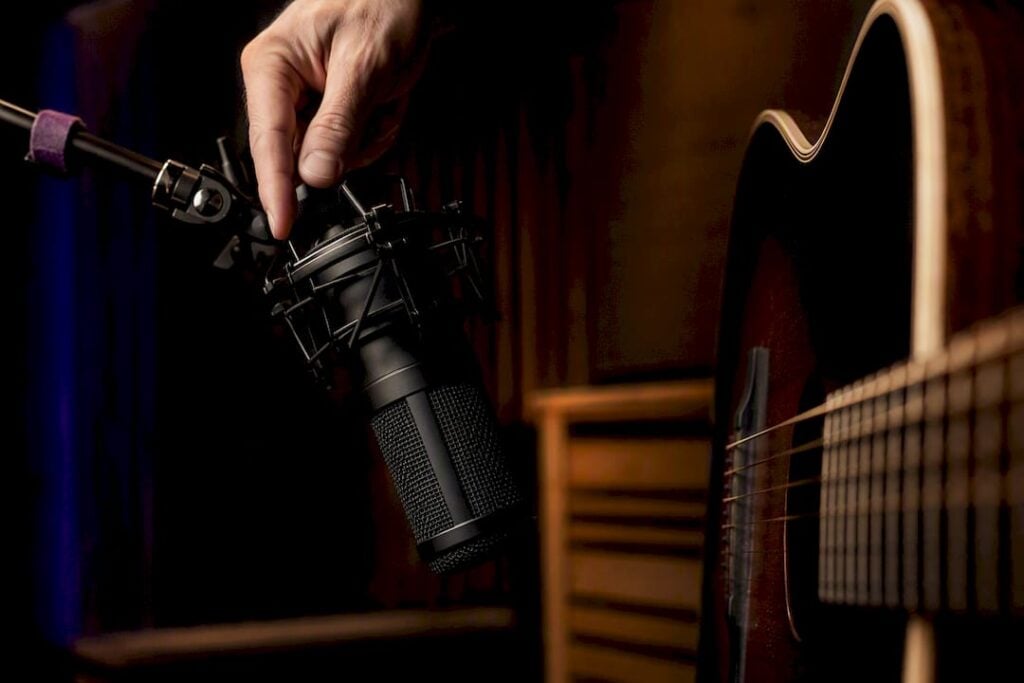
Microphone position changes the sound of a guitar more than almost any other variable in the recording chain, more than the microphone model itself in many cases. Moving a mic from over the soundhole to near the twelfth fret shifts the balance from boomy and bass-heavy to brighter and more articulate within inches of movement.
Distance matters as much as angle. A microphone placed close to the body captures more low-end proximity effect and more finger noise, while pulling back six inches to a foot lets more of the room’s natural acoustics blend in, for better or worse. A small, untreated room with hard walls adds early reflections that muddy the attack and smear the decay tail, which is why demos recorded in bathrooms or empty rooms often sound harsher than expected despite decent gear.
Two mic positions are worth learning by ear: one aimed at the twelfth fret for a balanced, all-purpose tone, and one aimed lower toward the bridge for extra warmth and low-end weight. Try both on the same take and compare. Documenting the exact spot, ideally with a quick photo, means you can return to that same position later instead of hunting for it again by trial and error, a habit that professional sample-library sessions rely on specifically because tone is so sensitive to placement.
If a demo sounds boxy or hollow no matter what EQ you apply, the room is usually the culprit, not the guitar. A few moving blankets or even a closet full of clothes can tame reflections faster than any plugin.
DI Versus Mic’d Amp: Which One Tells You the Truth?
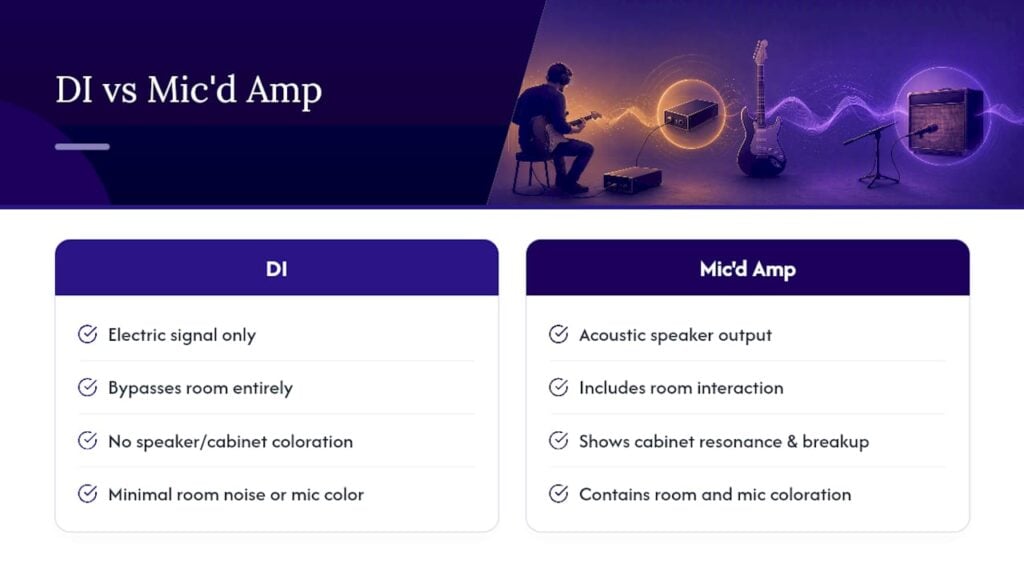
A direct input (DI) recording captures the electric signal straight from the guitar or amp’s output, bypassing air and room entirely. A mic’d amplifier recording captures the speaker’s actual acoustic output, including cabinet resonance, speaker breakup, and room interaction. Neither is objectively “correct.” They answer different questions.
DI recordings are useful for evaluating the guitar’s raw pickup output, pedal tones, or amp modeling in isolation, since there’s no room noise or mic coloration to muddy the comparison. This makes DI the better choice when you specifically want to judge how techniques or gear settings affect the guitar and amplifier settings on the demo sound without variables from a physical space.
Mic’d amp recordings, on the other hand, are what most listeners actually associate with a “real” guitar tone, because speaker cabinets shape frequency response in ways DI signals simply don’t replicate. A DI track run through an amp simulator can sound convincing, but a demo intended to represent an actual amp and cabinet setup should be evaluated as a mic’d recording, not a DI substitute, if authenticity is the goal.
For evaluation purposes, the practical move is to record both when possible. Compare the DI track to isolate playing technique and gear settings, then compare the mic’d version to judge how that signal translates through real air and a real speaker. Judging one without the other means missing half the picture.
How Guitar and Amp Settings Shape What You’re Hearing
Before blaming a demo’s tone on the recording chain, rule out the instrument and amplifier settings themselves. Pickup height, tone knob position, and even string gauge change the harmonic content reaching the microphone or DI box before any recording variable comes into play.
On the guitar side, pickup height sitting too close to the strings adds output and often introduces unwanted harmonics or magnetic pull that dampens sustain. Tone and volume knob positions shift where energy sits in the frequency spectrum, so a demo that sounds dull might simply have the tone rolled back, not a recording problem at all.
On the amplifier side, gain staging matters more than most players expect. Too much preamp gain compresses dynamics and flattens the attack transients discussed earlier in this guide, while too little leaves the tone thin and lifeless. EQ settings on the amp itself, not just post-recording EQ, determine how much midrange presence or low-end weight reaches the microphone in the first place. A scooped-mid setting that sounds huge live can translate as hollow and disconnected on a recorded demo.
The practical rule: settle guitar and amp settings before you start any blind test or measurement pass. Changing settings mid-comparison invalidates the test, since you’re no longer isolating the variable you set out to judge, whether that’s mic position, a different guitar, or a different set of strings.
Why Playing Technique Changes Everything You Hear
The same guitar, same amp, and same microphone setup will sound noticeably different depending on who’s playing and how consistently they play. Pick attack angle, pick or finger force, and even where along the string a player strikes all shape tone before the signal ever reaches a microphone or pickup.
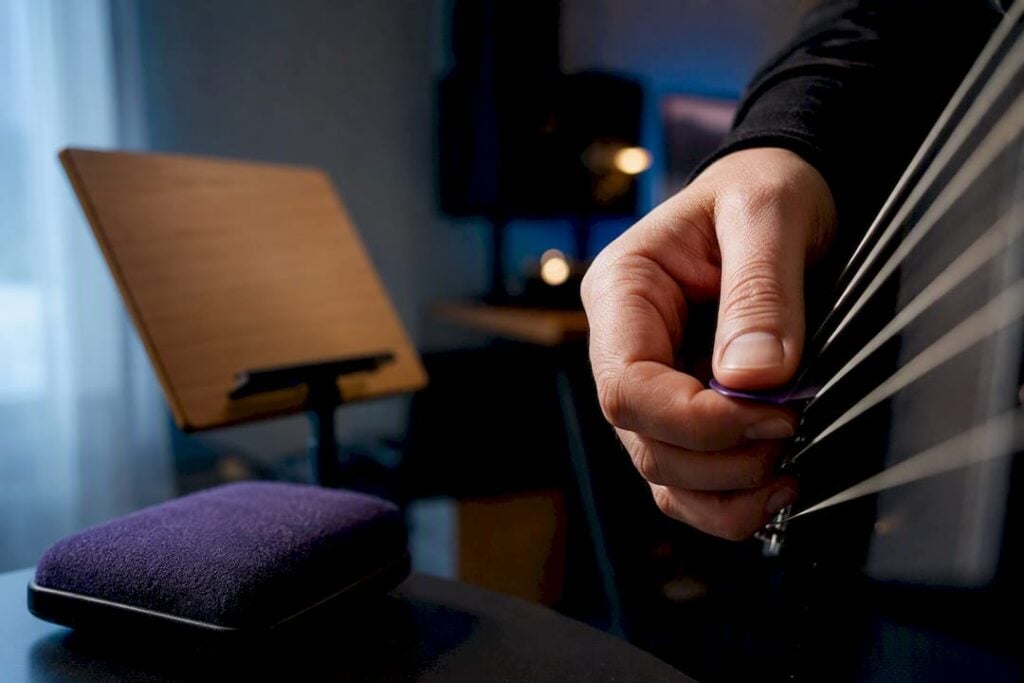
Inconsistent dynamics between takes are one of the most common, and most overlooked, sources of demo variability. A player who digs in harder on one take and lays back on another introduces a tonal difference that has nothing to do with the guitar’s actual character, yet gets misread as an equipment issue during evaluation. This is exactly why expert guidance on guitar demos points to the player’s dynamics and technique as a major factor shaping perceived sound, one that no plugin or measurement tool can fully compensate for.
When comparing two guitars or two recording setups, use the same player, the same phrase, and ideally back-to-back takes recorded close together in time. Fatigue changes touch dynamics over the course of a long session, so a take recorded an hour into a session may sound subtly different from one recorded fresh, regardless of the gear involved. If you’re serious about isolating equipment variables, record your comparison phrase multiple times and pick the take where your own playing felt most consistent, not necessarily the first or the last one. A deeper look at how technique drives perceived tone is worth reading if you evaluate demos regularly.
Writing Feedback That Actually Gets Acted On
A score without context is nearly useless to whoever receives it, whether that’s a fellow player, a seller, or yourself three months from now. Effective feedback pairs the rubric score with a specific, timestamped observation.
Instead of writing “tone sounds off,” write “at 0:14, low-mids build up around the D chord, likely mic proximity.” That single sentence tells the recipient exactly what to check and where. Reference the specific dimension from your scoring rubric, spectral balance, attack, sustain, noise, or musicality, so feedback maps directly back to something actionable rather than a vague impression.
Keep a simple log for every demo you evaluate: file name, date, rubric scores across all five dimensions, and one or two specific timestamped notes. This turns scattered impressions into a comparable record you can revisit, especially useful when evaluating multiple takes of the same instrument over weeks or months.
If you’re sharing feedback with someone else, lead with what’s working before listing problems. Tone feedback lands better when it’s specific and constructive rather than a flat list of complaints, and it makes the recipient far more likely to act on what you flagged instead of dismissing it.
Author Perspective: Balancing Measurements With Musical Judgment
Measurements make evaluation consistent, but they don’t make it musical. A demo can post a perfect spectrogram and still miss the emotional point of the piece, and a slightly “imperfect” reading can be exactly right for a raw blues tone. Numbers catch technical problems reliably. They do not catch whether a tone serves the song.
The most defensible approach combines both: run the blind test, take one objective measurement, then trust your ear for the final call. Tools narrow the guesswork. Musical judgment still makes the decision.
— Vintage
Book a Testing Appointment or Valuation With Vintage-guitar-world
If your evaluation points toward a real question about condition, authenticity, or value, that’s where a controlled professional session pays for itself. Vintage-guitar-world runs Exklusive Anspieltermine, documented testing appointments built around repeatable recording conditions rather than a one-off phone clip, so the demo you walk away with actually reflects the instrument’s real character.

These sessions make the most sense when you’re preparing an instrument for sale through Verkauf in Kommission, need a formal certificate or Wertgutachten for insurance or resale, or simply want export-grade documentation before comparing high-value instruments side by side. If setup or condition issues are driving tone problems rather than recording technique, Restaurierung services address the instrument itself before you invest more time chasing a fix in the recording chain. Browse the current selection of vintage guitars or reach out to schedule an appointment and get a demo you can actually trust.
Sources
A handful of resources cover the technical side of this process in more depth than a single article can.
- What sampling the acoustic guitar taught us — Sound On Sound
- spectrogram-validator pipeline — Guitar Alchemist / Demerzel (GitHub)
- Guitar tone analyzer online — Tone Generator Tool
- Pickup Analyzer info — Human Ai Wellbeing
FAQ
What Is the Fastest Way to Evaluate a Guitar Demo?
A short blind listening test combined with one objective measurement, either an FFT spectrum check or an RMS loudness check, gives a reliable verdict quickly. Start with spectral balance and low-end stability, since those two factors shape everything else you hear.
How Do I Know if a Demo Sounds Muddy or Just Warm?
Muddiness usually shows up as a buildup around 200 to 400 Hz that blurs note separation, while warmth is an even low-end presence that doesn’t obscure clarity. Checking the recording on an FFT analyzer settles the question quickly if your ear is unsure.
Should I Trust My Own Ears or Software Measurements More?
Use both together rather than choosing one. Measurements catch technical issues like clipping or phase problems consistently, but player dynamics and musical judgment remain the deciding factor for whether a tone actually fits the music.
Is DI Recording Good Enough to Judge Guitar Tone?
DI recording is excellent for isolating pickup output, pedal tones, and playing technique without room interference, but it won’t tell you how that tone sounds through a real speaker cabinet. Record both a DI and a mic’d amp version when the final judgment depends on the full amplified sound.
When Should I Book a Professional Testing Appointment Instead of Testing at Home?
Book a professional session when you need documented, repeatable conditions for a sale, certification, or valuation rather than a casual comparison. Vintage-guitar-world’s testing appointments and certification services exist specifically for those higher-stakes situations where a self-recorded demo isn’t sufficient documentation.